
Good architecture is key to any software development success. This not only ensures easy development processes among teams, but also the scalability of the application. It makes sure that whenever new changes are needed, the developers will not have a hard time refactoring various aspects of the code.
1. MVC Architecture
There are many architecture patterns in different languages like MVT in Python, MVVM in Android, and MVC in JavaScript applications.
MVC architecture divides the whole application into three parts; the Model, the View and the Controller.
1.1. Model
This part defines our data. It is where our schemas and models are located, i.e the blueprint of our application’s data.
1.2. View
This includes templates and any other form of interaction the user has with the application. It is where the data defined by our Model is presented to the user.
1.3. Controller
The business logic is handled in this part. This includes the database reading and writing, and any other modifications that the data undergo. This connects the Model and View.
2. Refactoring to MVC
With that in mind, we can get into our code and start refactoring it to follow the MVC pattern. The base code (prior to alterations) can be found on Github.
In order to transition our application to an MVC pattern, we will need controllers. Note that we already have our models, i.e the model files in the models directory, and our views will be the routes files in the routes folder, as we are not rendering any pages when the user interacts with the API endpoints.
Go ahead and create a directory called controllers in the root level. Then add a file named auth.controller.js which will handle all our auth route’s logic.
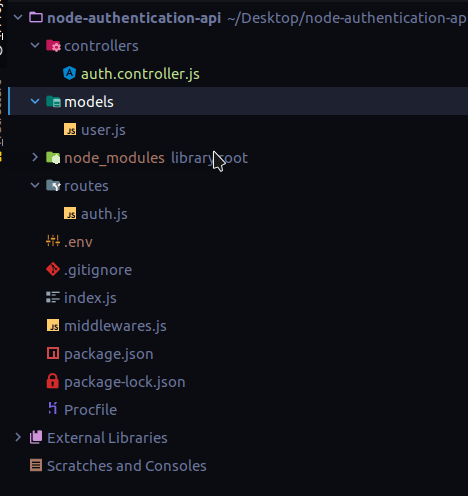
Next, add the following exports in the auth.controller.js file. Here we are exporting two functions.
exports.login = (req, res) => {

}

exports.signup = (req, res) => {

}
The login and signup functions will have access to the request and response bodies of our requests, and we will handle the signup and login processes here.
In the controller, import the bcrypt and User model. Then move the entire password hashing functions and mongoose CRUD methods to the respective functions in the controller file.
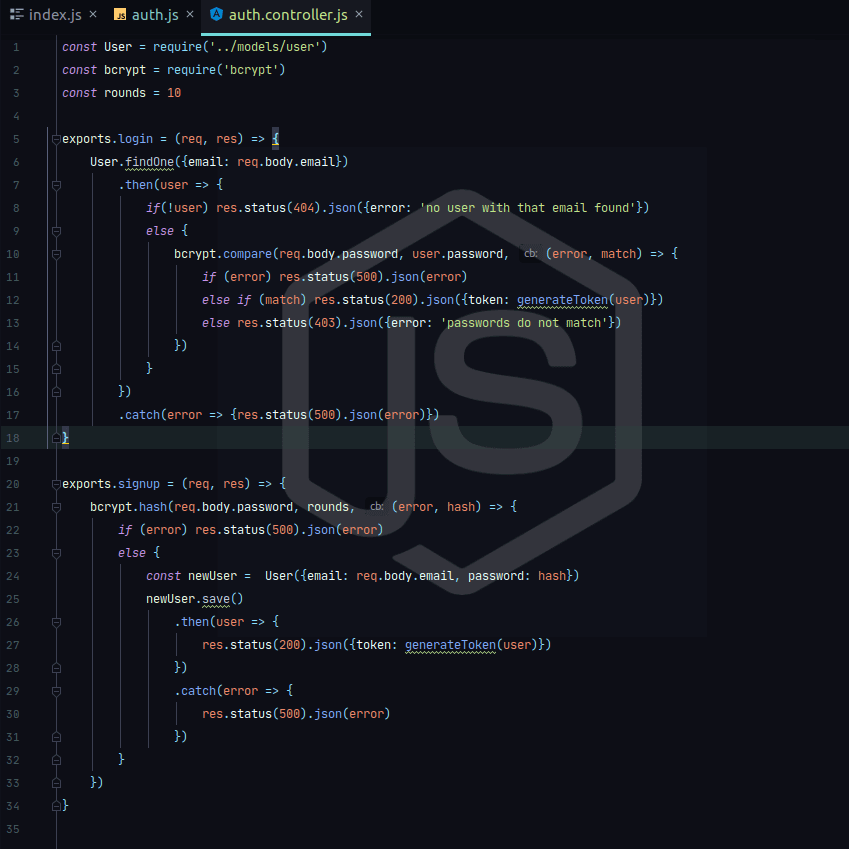
Import the controller in the routes/auth.js file. This will allow you to access the exported functions. Then, where there were the login and signup implementations, call the controller methods respectively.
const controller = require('../controllers/auth.controller')

router.get('/login', controller.login);

router.post('/signup', controller.signup);
In case you haven’t noticed, we did not move the generateToken method. This is because we can place it in its own file so that you can reuse it in all controllers. So I will create a root-level directory called utils and create a file known as utils.js. And in here is where I will place my generateToken function and any other reusable functions.
const jwt = require('jsonwebtoken')
const tokenSecret = process.env.TOKEN_SECRET

exports.generateToken = (user) => jwt.sign({data: user}, tokenSecret, {expiresIn: '24h'})
Then, in my controller, I will import the utils file to access the exported functions.
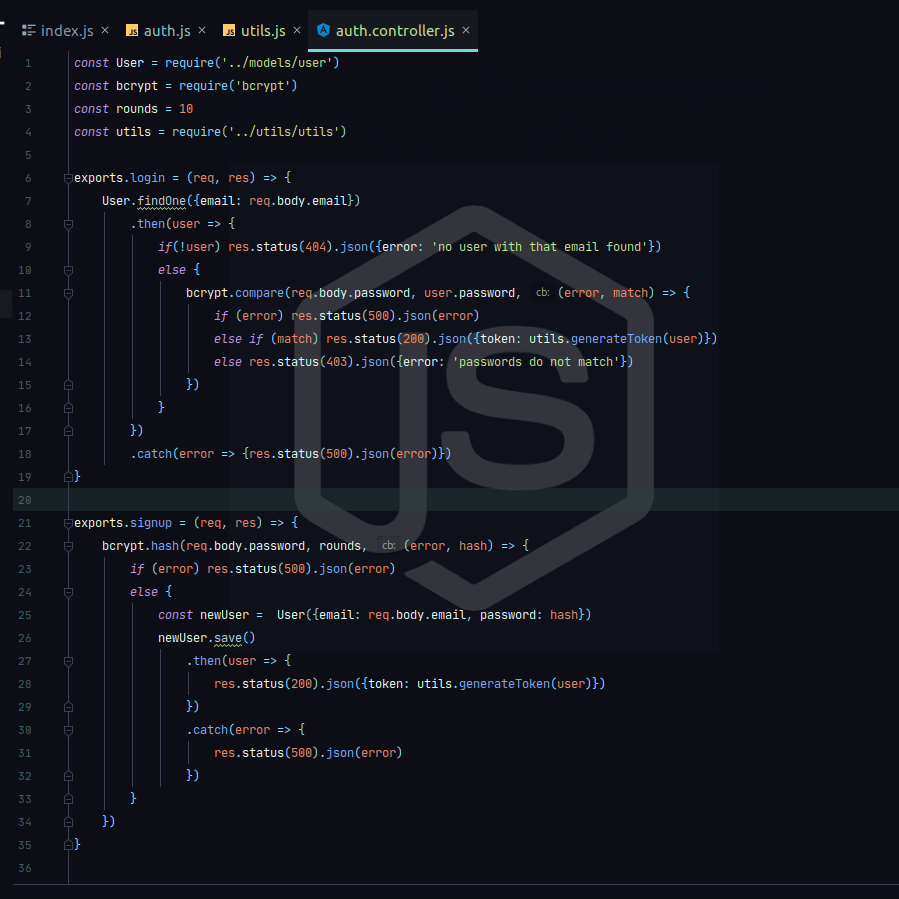
And with that, you have some clean MVC architecture. This follows the principle of “separation of concerns” where we decouple our code into very small units which can be handled independently. This is an important aspect to follow, especially in a team, to allow smooth collaboration.
The fully refactored code can be found on Github.
